HIPAA-Compliant Appointment Reminders: Best Practices
Guidelines for sending HIPAA-compliant appointment reminders: limit content, get consent, use BAAs, secure channels, and track opt-outs.
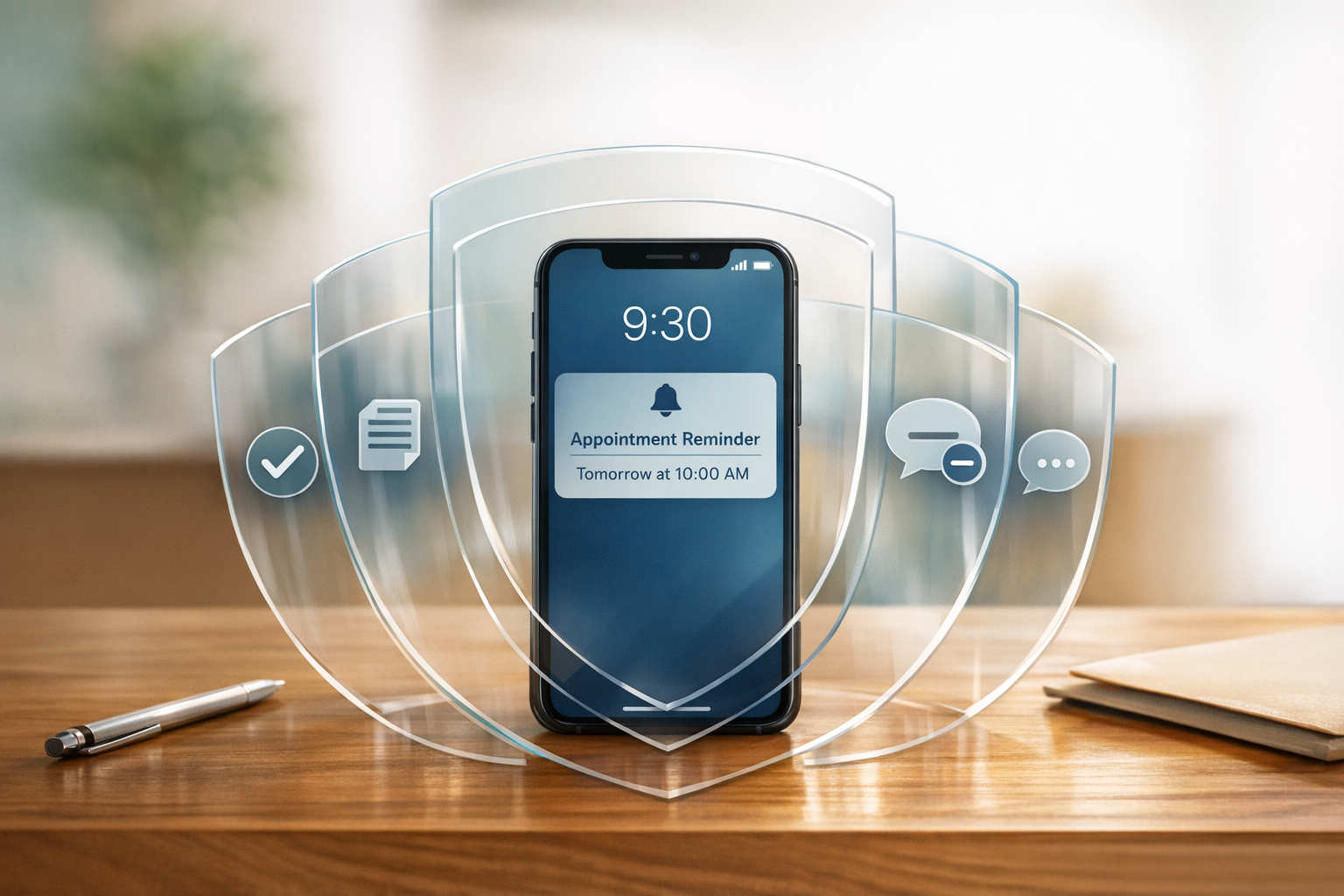

Appointment reminders are part of patient care and don’t require prior authorization under HIPAA, but they must comply with privacy rules. Here's how to ensure your reminders meet HIPAA standards:
- Content: Keep messages concise. Include only essential details like the patient's first name, appointment date/time, provider name, and location. Avoid mentioning diagnoses, procedures, or medications.
- Channels: Use secure methods like encrypted email or SMS with patient consent. Platforms handling patient data must sign a Business Associate Agreement (BAA).
- Consent: Document patient communication preferences during digital intake and honor opt-out requests immediately.
- Templates: Use pre-approved templates to avoid errors. Example: "Hi [Name], your appointment is on [Date] at [Time]. Call us at [Phone Number] if you need to reschedule."
- Compliance: Follow HIPAA’s "minimum necessary" standard and regularly audit your reminder process for security and effectiveness.
HIPAA Rules That Apply to Appointment Reminders
Federal regulations lay out clear guidelines for how clinics can send appointment reminders. These rules also cover the content of these reminders and how patient data should be handled. In addition to HIPAA, the FCC's TCPA rules are relevant, limiting automated healthcare messages to three per week and capping text messages at 160 characters. Let’s dive into what qualifies as PHI and how to safely compose reminder messages.
What Counts as PHI in Appointment Reminders
Protected Health Information (PHI) includes anything that identifies a patient and links them to a condition, service, or provider. For appointment reminders, this can mean obvious details like a patient’s full name and contact information, but it also extends to less obvious elements, such as a provider’s specialty or the name of a specific procedure.
Here’s a breakdown of what’s safe, risky, or off-limits to include in a reminder message:
| Information Category | Safe to Include | Prohibited or High Risk |
|---|---|---|
| Patient Info | First name, last name (if necessary) | Social Security Number, medical record number |
| Clinical Info | "Your appointment", "Follow-up" | Diagnoses (e.g., HIV, cancer), test results |
| Provider Info | Dr. Smith, Dr. Chen | "Oncologist", "Substance Abuse Counselor" |
| Procedures | "Lab work", "Imaging" | "Colonoscopy", "Chemotherapy", "Abortion" |
| Instructions | "Fasting required", "Bring ID" | Specific medication names (e.g., Zoloft) |
Permitted Communication Channels for Reminders
HIPAA allows appointment reminders to be sent through various channels, including phone calls, SMS, emails, and U.S. mail. These channels are also vital for coordinating telehealth sessions and virtual check-ins. Each method has its own set of privacy safeguards. For instance, while unencrypted SMS and email are permitted, patients must first be informed of the privacy risks and provide their consent. Many clinics manage these communications and consent forms through a secure patient portal. Additionally, any third-party service handling PHI - such as an SMS platform or email service - must sign a Business Associate Agreement (BAA) as required under 45 CFR § 164.504(e).
"If the message would tell a stranger something private about the patient's health, it should not be in plain text." - CERTIFY Health
Traditional landlines and the U.S. Postal Service often qualify for the conduit exception, meaning they typically don’t require a BAA. On the other hand, services like VoIP, SMS, and email usually do, as they store and process PHI rather than simply transmitting it.
The Minimum Necessary Standard for Reminder Content
HIPAA's "minimum necessary" standard under 45 CFR § 164.502(b) requires that reminders include only the essential information. This typically means limiting the message to the appointment’s date, time, location, and provider name - avoiding any unnecessary details.
"The minimum necessary standard is where most confusion and violations occur. HIPAA doesn't define exactly what information you can include... instead, it requires you to use judgment about what's reasonably necessary." - SmartSMSSolutions
For voicemail messages, this standard also applies. A compliant example might sound like: "This is [Practice Name] calling for [First Name]. Please call us back regarding your upcoming visit on [Date]." This approach confirms the appointment without revealing sensitive health details.
sbb-itb-02f5876
Reading about the problem? See how Prospyr solves it in one platform.
Book a DemoHow to Write HIPAA-Compliant Appointment Reminders
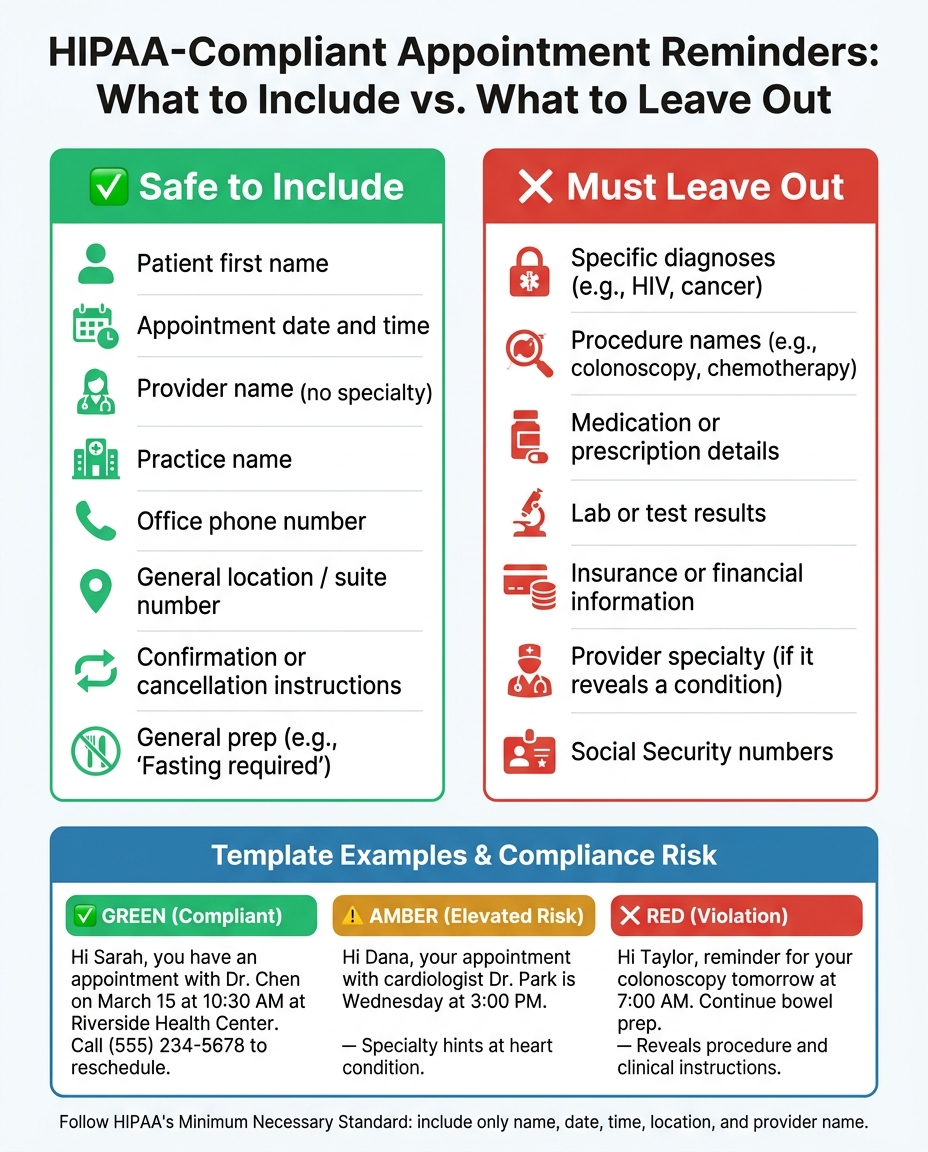
HIPAA-Compliant Appointment Reminders: Safe vs. Prohibited Content
When creating appointment reminders, your focus should be on confirming the when and where of the visit - nothing else. Patients already know the reason for their appointment, so your message should stick to the essentials.
"The key principle: patients already know what their appointment is for. You're reminding them when and where to show up, not explaining the purpose of the visit." - SmartSMS Solutions
What Information Is Safe to Include in Reminders
Keep your reminders friendly but compliant. Here's what you can safely include:
- Patient’s first name
- Appointment date and time
- Provider name (without mentioning specialty)
- Practice name
- Office phone number
- Location or suite number
- General instructions like “arrive 15 minutes early” or “fasting required,” as long as they don’t indicate a specific procedure or condition.
This ensures patients have all the necessary details without risking exposure of sensitive information.
What to Leave Out of Appointment Reminders
Certain details should never appear in appointment reminders to maintain compliance. Here's a breakdown:
| Safe to Include | Must Leave Out |
|---|---|
| Patient first name | Specific diagnoses (e.g., HIV, cancer) |
| Appointment date and time | Procedure names (e.g., colonoscopy, chemotherapy) |
| Provider or practice name | Medication or prescription details |
| Office phone number | Lab or test results |
| General location/suite number | Insurance or financial information |
| Confirmation/cancellation instructions | Provider specialty (if it reveals a condition) |
| General prep (e.g., "Fasting required") | Social Security numbers |
For anything beyond these basics, direct patients to a secure, authenticated portal instead of including sensitive details in the reminder.
Building Standardized Reminder Templates
To maintain compliance and avoid errors, use standardized, pre-approved templates. These templates can include placeholders for names, dates, and times, ensuring no unnecessary information is added. This approach not only minimizes risk but also streamlines communication.
Here’s how compliant templates look across different scenarios:
-
Green (Compliant):
"Hi Sarah, you have an appointment with Dr. Chen on March 15 at 10:30 AM at Riverside Health Center. Call us at (555) 234-5678 to reschedule. Reply STOP to opt out." -
Amber (Elevated Risk):
"Hi Dana, your appointment with cardiologist Dr. Park is Wednesday at 3:00 PM." - Mentioning the specialty hints at a potential heart condition. -
Red (Violation):
"Hi Taylor, reminder for your colonoscopy tomorrow at 7:00 AM. Continue bowel prep." - This message reveals both a specific procedure and clinical instructions.
For voicemail reminders, stick to:
"This is [Practice Name] calling for [First Name]. Please call [Number] regarding your visit on [Date].”
For SMS reminders, ensure the message fits within the FCC’s 160-character limit and includes an opt-out option like "Reply STOP to opt out." Including opt-out instructions not only complies with regulations but also respects patient preferences and consent.
Managing Patient Consent and Communication Preferences
How to Collect and Document Patient Consent
Appointment reminders fall under treatment communications and don’t require formal HIPAA Authorization. However, it’s essential to document each patient’s preferred contact methods and the channels they’ve approved.
Start by collecting consent during onboarding. Use an electronic signature form to capture the patient’s contact preferences (SMS, email, voice, or mail), acknowledge the risks of unencrypted communication, and confirm that data or message rates may apply. To ensure accuracy, implement a double opt-in process: send a verification text asking the patient to reply "YES" to confirm their phone number and consent.
Be sure to log the consent timestamp, the staff member who recorded it, and the approved contact details. Maintain these records, along with opt-out logs, for at least six years. Additionally, make sure your system updates promptly whenever a patient changes their communication preferences.
Managing Opt-Outs and Preference Changes
HIPAA and the Telephone Consumer Protection Act (TCPA) require immediate action on opt-out requests. Include universal opt-out keywords like STOP, CANCEL, and UNSUBSCRIBE, and ensure these trigger an automatic confirmation message while instantly updating your EHR, CRM, and any third-party messaging systems. Sync these systems in near real-time to avoid any tracking gaps.
"Patients have the right to request confidential communications and can opt out of reminders at any time. Your system must honor opt-out requests immediately." - Steve Alder, Editor-in-Chief, The HIPAA Journal
Under HIPAA Privacy Rule §164.522, patients can also request reminders to be sent to specific devices or locations. For instance, a patient might prefer a private cell phone over a shared household landline. This is especially important in sensitive cases where a misdirected reminder could pose a risk. Providers are obligated to accommodate these reasonable requests. To stay current, review and update patient contact details and communication preferences at least once a year.
Be sure to reflect these practices in your privacy documents for consistency and compliance.
Adding Reminders to Your Privacy Practices Notice
Your Notice of Privacy Practices (NPP) must clearly state that your clinic may use PHI to send appointment reminders. It should also specify the communication channels you use, whether automated calls, SMS, or email. If you rely on unencrypted text messaging, the NPP must disclose the potential security risks so patients can make informed decisions before consenting.
The NPP should also explain how patients can restrict reminders or request an alternative contact method. Any changes to your reminder process - like adding a new channel, switching platforms, or updating opt-out procedures - qualify as a "material change" under §164.520. This means you’ll need to revise and redistribute the NPP. Regularly updating your NPP to align with your communication protocols strengthens your HIPAA compliance. Schedule an annual review of your NPP to ensure it matches your current practices and workflows.
Setting Up a HIPAA-Compliant Reminder Workflow
Auditing Your Current Reminder Process
Before making changes to your reminder system, take a close look at your existing procedures. Start by pulling 90 days' worth of appointment and no-show data to establish a baseline. Review how reminders are currently sent - whether through phone calls, SMS, or email - and identify who is responsible for sending them. Pay attention to potential compliance risks, like staff using personal devices or unencrypted email communications. These issues can leave your practice vulnerable.
Make sure every vendor involved in your workflow has a signed Business Associate Agreement (BAA). This includes platforms like your EHR, SMS gateway, email service, and scheduling tools.
"The rule is simple: if patient health data touches it, it needs a BAA. No exceptions." - Temo Berishvili, Digital Transformation Lead
Check your message templates to ensure they follow the Minimum Necessary Standard. Avoid including specific procedure details such as "Botox consultation" or "laser resurfacing", and stick to general terms like "your appointment." Additionally, confirm that opt-out requests are processed immediately and synced back to your EHR. Once you identify any gaps, you can move forward with implementing compliant solutions.
Using HIPAA-Compliant Platforms Like Prospyr
After identifying compliance issues, one of the fastest ways to address them is by adopting a platform specifically designed for HIPAA compliance. A compliant platform should feature end-to-end encryption, role-based access controls, multi-factor authentication, automated opt-out handling, and detailed audit logs. And, of course, it must operate under a signed BAA.
Prospyr is one such solution created for aesthetics and wellness clinics. It combines a secure CRM/EMR with communication tools for SMS and email, plus scheduling features - all in one system. This integration minimizes the risks that come with transferring patient data between separate platforms. Prospyr also includes digital intake forms and consent documentation, ensuring that patient preferences are captured and maintained.
The impact on operations can be substantial. Automated reminders have been shown to reduce no-show rates by as much as 90%. Clinics that use multi-channel reminder sequences - combining SMS, voice, and email - see 42% fewer no-shows compared to those relying on email alone. With a compliant platform in place, you can shift your focus to fine-tuning and monitoring your reminder system.
Tracking Reminder Performance Without Compromising Privacy
You can measure the success of your reminder system without needing to store or analyze individual patient health information (PHI). Track aggregate metrics like no-show rates, confirmation response rates, and opt-out rates for each communication channel. These data points adhere to HIPAA's minimum necessary standard while still offering useful insights.
Keep your analytics separate from patient communication systems. This dual-system approach ensures that marketing data and PHI don’t mix. Sync your EHR every 5–15 minutes to avoid sending reminders for canceled or rescheduled appointments. Also, monitor SMS delivery rates - if the failure rate exceeds 2%, you may need to address issues with 10DLC registration or template content.
To maintain effectiveness, review your reminder performance quarterly and refresh your message templates every three months. This prevents message fatigue and helps keep engagement levels high.
Key Takeaways for HIPAA-Compliant Appointment Reminders
Here’s a concise summary of essential points to keep in mind for HIPAA-compliant appointment reminders:
Appointment reminders are covered under HIPAA's "treatment" exception (45 CFR § 164.506(a)), meaning no written authorization is required. However, compliance requires careful attention. Any platform handling patient information - such as SMS gateways, email services, or scheduling tools - must have a signed Business Associate Agreement (BAA) before sending messages.
Follow the Minimum Necessary Standard by including only essential details: the patient’s name, appointment date, time, location, and provider name.
Ensure data security by using strong encryption for both data in transit and at rest. Opt for HIPAA-compliant platforms like Prospyr, which offer features such as strict access controls and automated opt-out handling. Protect patient health information (PHI) with role-based access controls, multi-factor authentication, and audit logs. Remember, noncompliance can result in severe penalties.
Collect and maintain patient consent and communication preferences during intake, and make sure to update opt-out requests across all systems immediately.
Track performance metrics without exposing PHI. Focus on aggregate data like no-show rates, confirmation rates, and opt-out rates by communication channel. Regularly review and refine your reminder templates to avoid overwhelming patients. Using multi-channel strategies - combining SMS, voice, and email - can reduce no-show rates by 42% compared to email-only reminders.
FAQs
Do appointment reminders count as PHI?
Yes, appointment reminders fall under the category of protected health information (PHI) because they are connected to a patient's treatment and can reveal their identity. According to HIPAA, these reminders are typically permitted as part of treatment without requiring patient authorization. However, you must ensure privacy measures are in place and limit the content to only what’s essential for the reminder.
When do I need a BAA for reminders?
You’ll need a Business Associate Agreement (BAA) before any service provider creates, receives, maintains, or transmits Protected Health Information (PHI) on your behalf. This is especially important if the reminders include PHI beyond basic scheduling details (like a procedure or condition) or if the communication channel doesn’t fall under HIPAA’s “conduit” exception. When in doubt, it’s always better to have a BAA in place.
How can I prove patient consent for texts?
To confirm patient consent for receiving text messages, it's crucial to keep a well-documented audit trail. Start by clearly outlining the communication method, the types of information that will be shared, and any associated risks. This can be done during the intake process or through a digital portal.
When capturing consent, include key details such as the timestamp, patient's identity, authorized phone number, and their signature. To add an extra layer of confirmation, implement a verification step like an opt-in confirmation text.
Make sure all this information is stored securely in your EHR (Electronic Health Record) or CRM (Customer Relationship Management system). Additionally, log any updates, such as changes to or revocations of consent, to stay compliant with regulations.
Related articles
Article
The Importance of Follow-Up: Techniques for Reaching Out to Inactive Patients
By Prospyr Team
Article
HIPAA Compliance for eSignatures: What Clinics Need to Know
By Prospyr Team
Article
How to Create Patient Communication Protocols
By Prospyr Team
Article
How HIPAA Impacts Aesthetic Practice Expansion
By Prospyr Team