01
Calendar
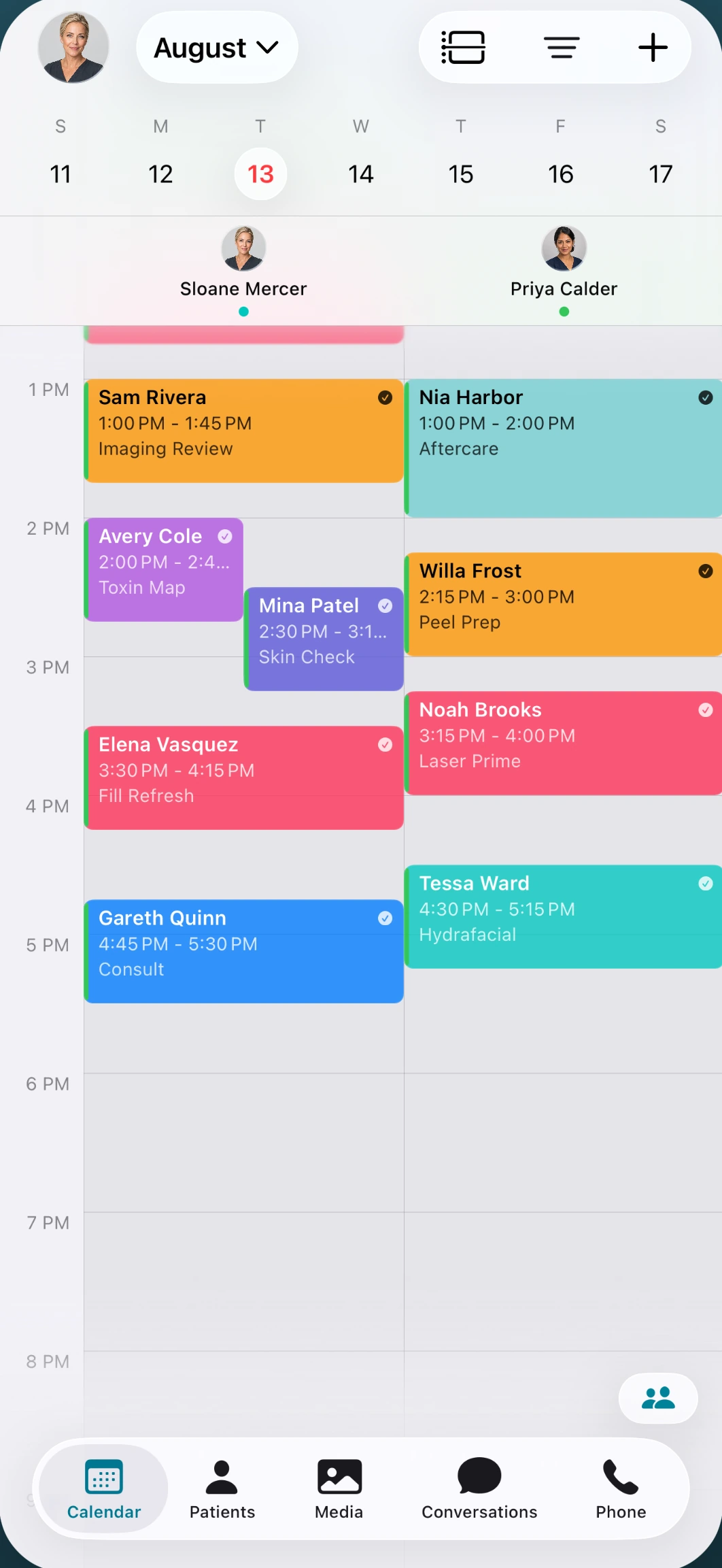
The day's board on a phone screen — providers, rooms, and what is running behind.
A native iOS app for iPhone and iPad, plus a browser version built for a phone-sized screen — both on the same patient record as the desktop. Schedule, texts, the chart, photos, and calls, including capture from an eligible Canon camera, without walking back to a laptop.
Book a Demo01 / 05
See who is in the chair, who is next, and what is running late — without leaving the treatment room.
02 / 05
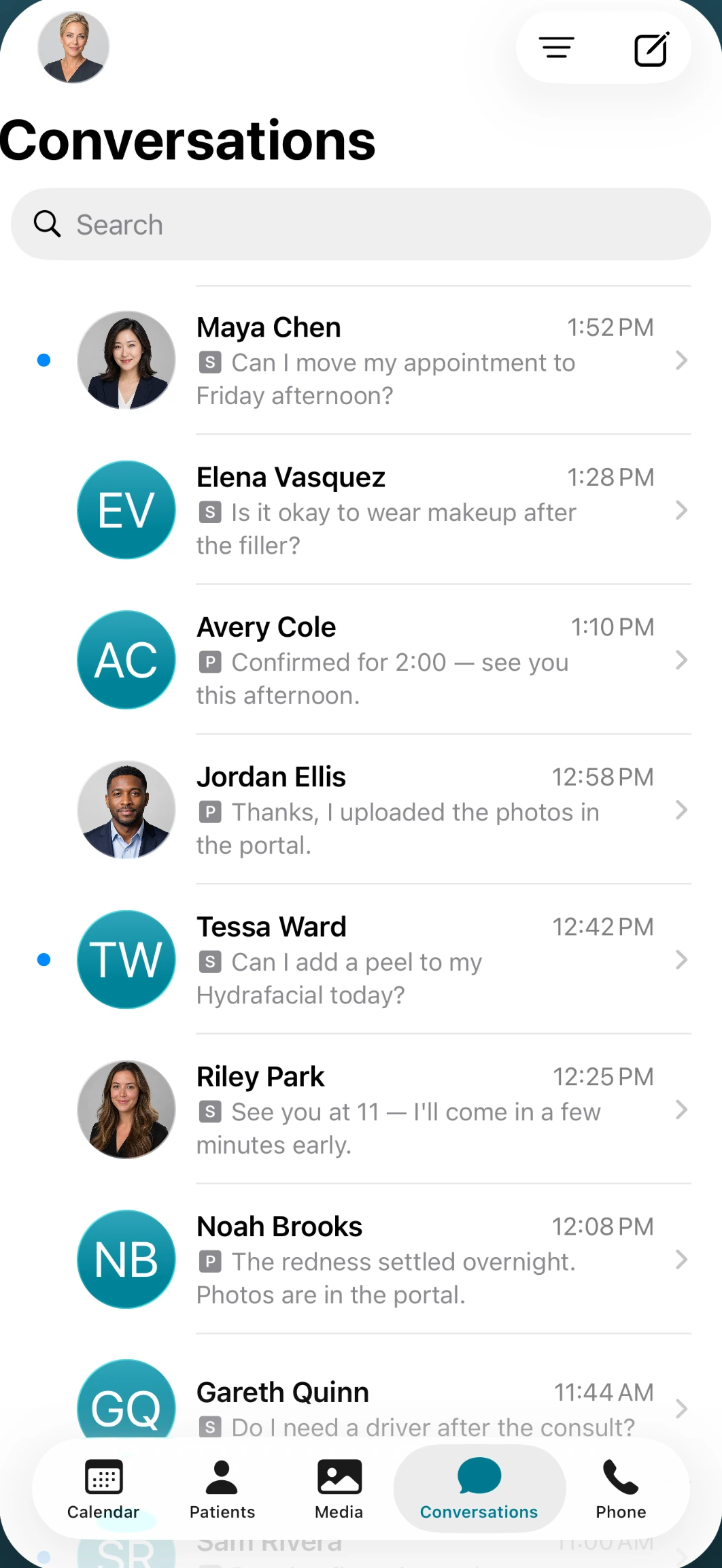
Reply to a patient on the same thread the front desk started. Confirmations, follow-ups, and questions stay on the patient record.
03 / 05
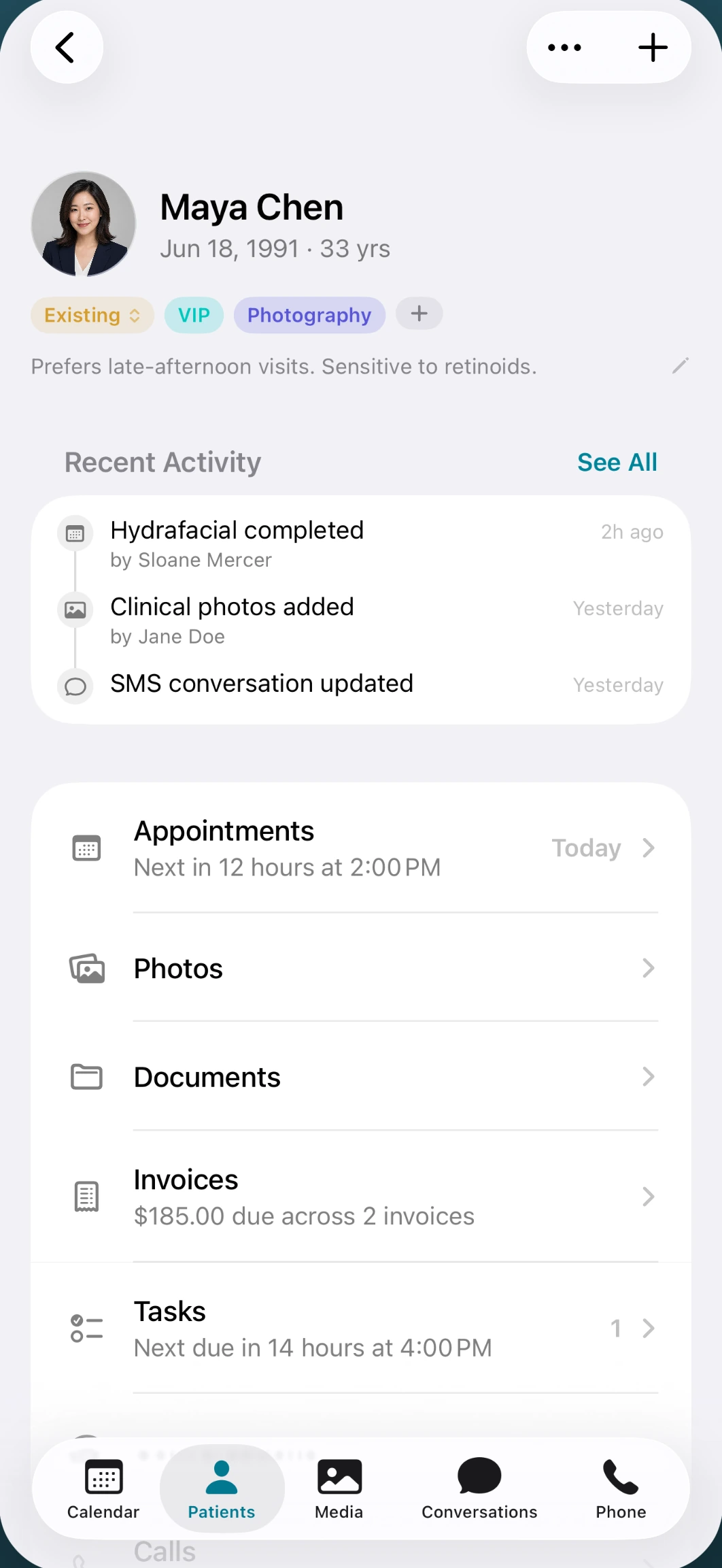
Pull up the visit, notes, and photos for the person in front of you. What you write here is what the desktop shows.
04 / 05
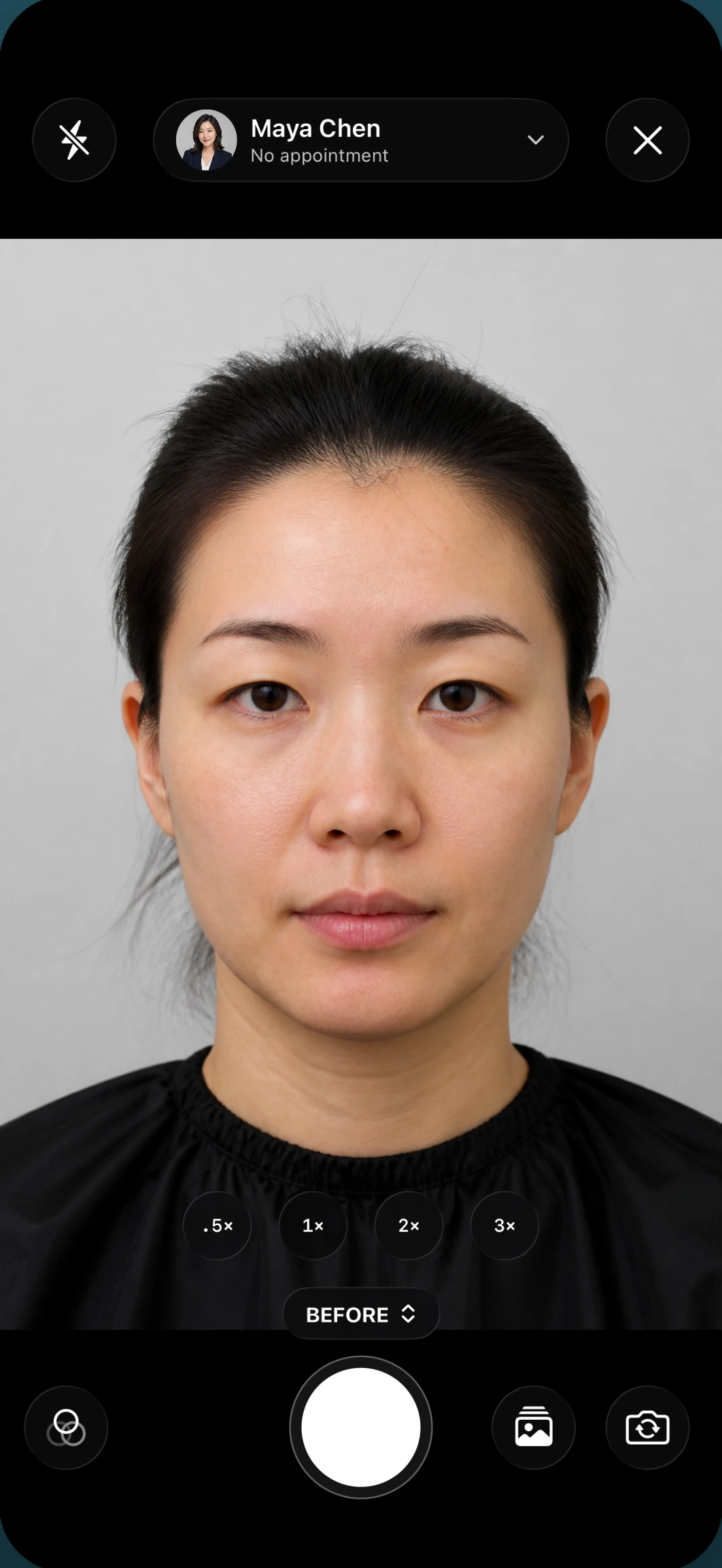
Phone camera or an eligible Canon body. Ghost overlay and pose guides keep angles consistent. Files land in Media Archive with consent tracking.
05 / 05
Place and take practice calls from the app. The conversation sits on the patient record, next to texts and notes — not in a personal recents list.
01 / 05
See who is in the chair, who is next, and what is running late — without leaving the treatment room.
01
The day's board on a phone screen — providers, rooms, and what is running behind.
02
Two-way SMS from the room, on the same thread as the desktop.
03
Chart, notes, and visit context for the person in front of you.
04
Built-in camera plus Canon Connect. Overlay, capture, archive.
05
Practice VoIP on the same patient record as texts and notes.
Coverage
The native app is iOS. Every other device signs in through the browser, on the same patient record — and that browser version is laid out for the screen you are holding, not a desktop page pinched down to fit.
There is no Android app today, and we are not going to imply otherwise. A team on Android runs the day in the browser — open it on your own phone during the demo and judge it there, not after you sign. Pairing a Canon camera is the one thing that needs the iOS app, because it runs over a cable.
Canon Connect
Eligible Canon EOS bodies connect in the room. Live view and capture run on the iPhone or iPad, and the still lands in Media Archive with consent tracking.
See how Canon Connect works →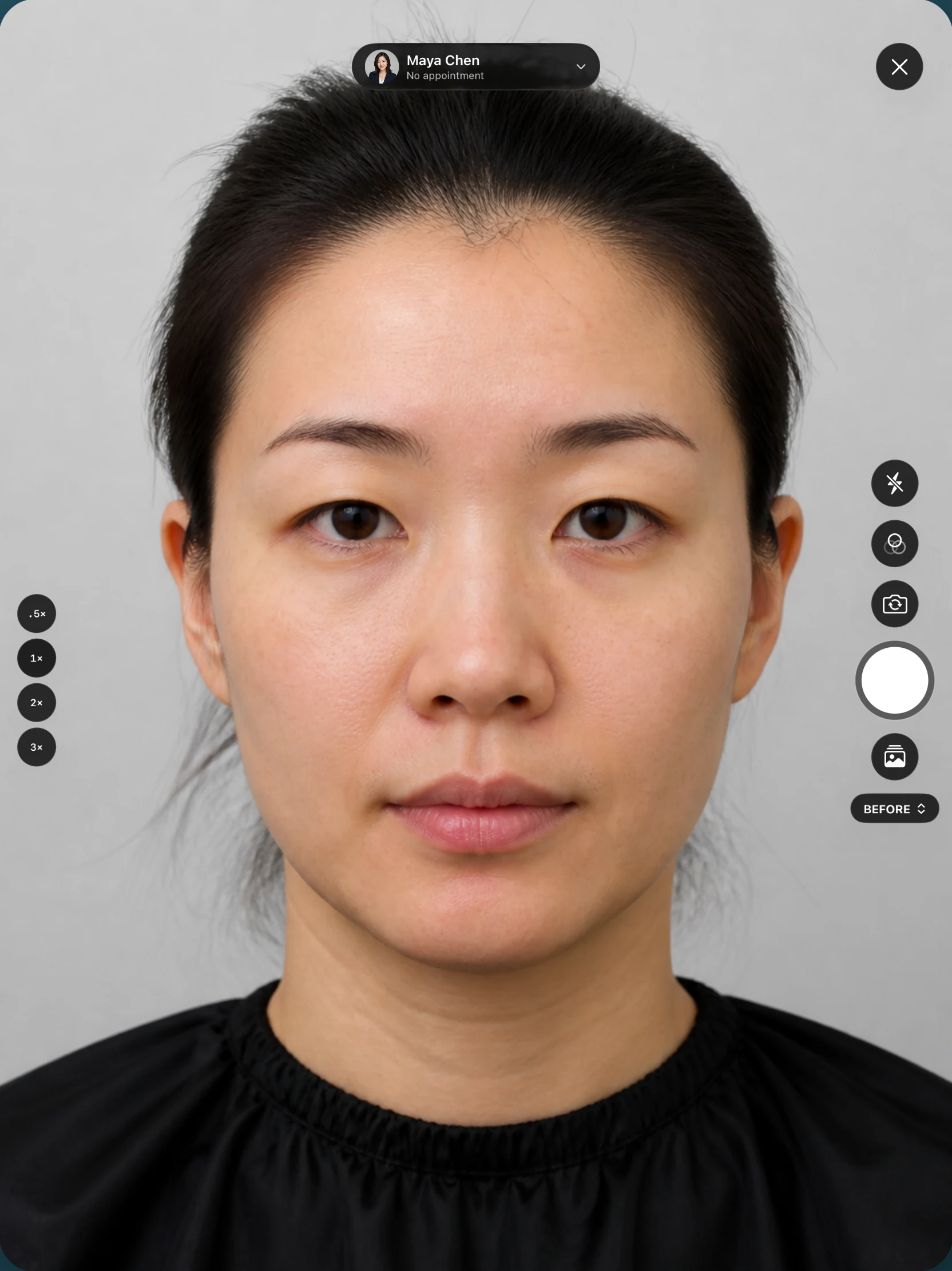
See it on your own phone in a live demo
Book a DemoThe same patient record as the desktop. What you capture, send, or note on a phone is what the rest of the practice sees — not a copy that has to sync overnight.
In the iOS app: the day's calendar, two-way texts, the patient chart, clinical photos (phone camera or an eligible Canon body), and practice calls. Those are the five tabs. In the browser, the same record opens at phone width, so a device without the app still runs the day.
Not today — better to say that here than in the demo. On Android, or any device that is not an iPhone or iPad, the team signs in through the browser and works the same patient record, laid out for the screen in your hand. Bring your own phone to the demo and open it before you decide.
Yes. Pair an eligible Canon EOS camera in the room. Live view and capture run on the iPhone or iPad, and the file lands in Media Archive with consent tracking. More on the Canon Connect page.
No. It is the floor: the room, the hallway, the consult that is not at a desk. Scheduling setup, reporting, and longer charting still live on the desktop.